Guide
Search and quick answers
The search bar at the top of every page finds anything in the app, and answers plain questions such as "out of stock in WA" in one line.
Availability Every plan
Search finds your products and any product on the shelves we read, brands, stores, categories, your alerts, your team, pages, settings and actions such as inviting a colleague. It also answers plain questions about your shelf in one line, free and straight away.
Open search#
Click the search bar at the top of any page, or press ⌘/Ctrl then K, or / when you're not typing in a box. On a phone, tap the search icon. With nothing typed, it lists your Recent items and the pages to Go to.
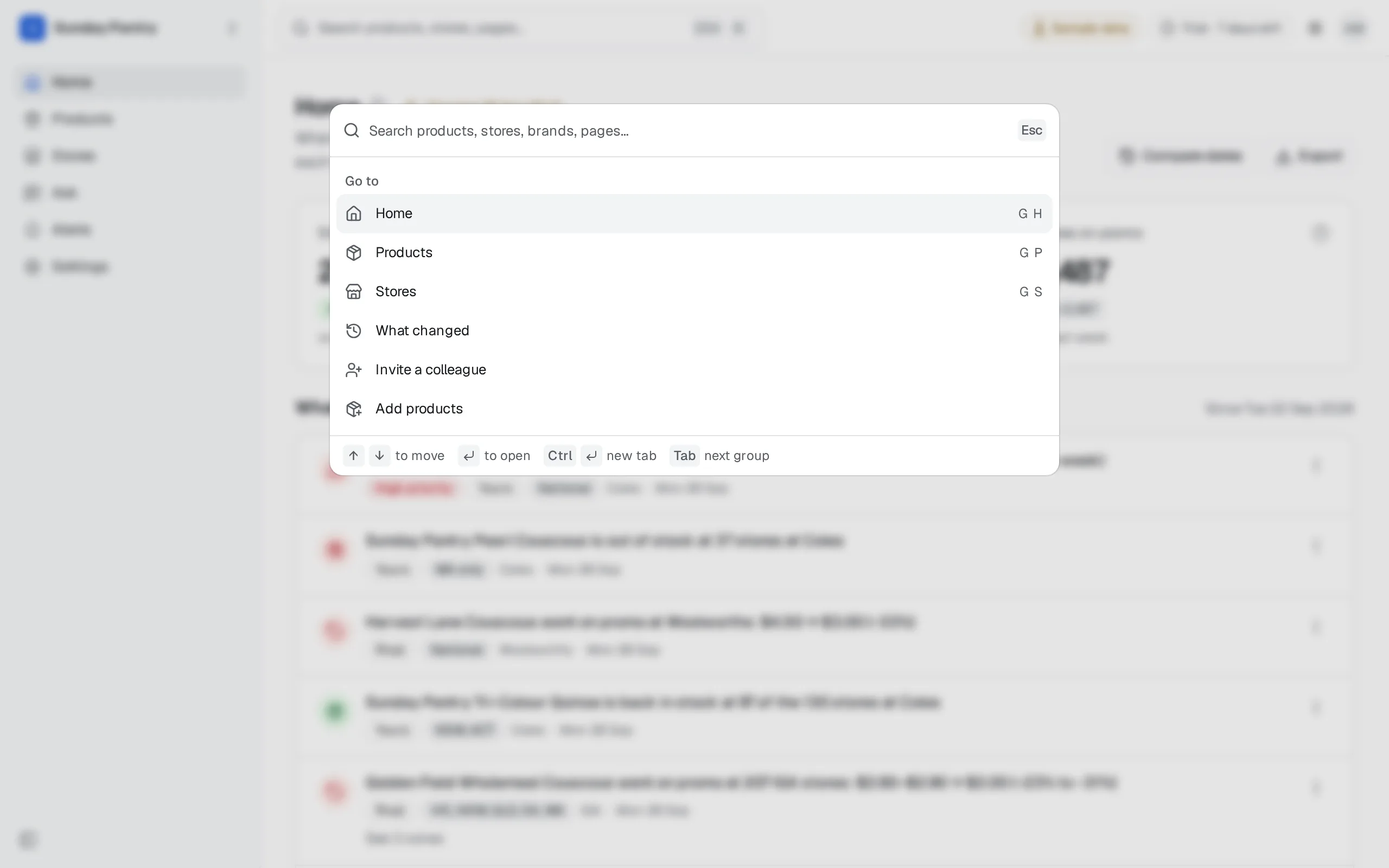
Use the arrow keys to move, and Enter to open a row. Press ⌘ (Ctrl on Windows) and Enter to open it in a new tab. Tab and Shift and Tab jump between groups.
The results#
Results come in groups, with the best match first:
- Answer: a one-line answer to a plain question (see below).
- Did you mean: a suggestion when a word looks like a typo. Click it to search for that instead. A search never ends with nothing.
- Products: your own products first, tagged Yours, Rival or Store brand, then products you don't watch, tagged Not watched.
- Brands and Categories: open the product finder for that brand or category, to add products.
- Stores: open the Stores list on that store.
- Alerts and Team: yours, by name.
- Actions: for the best product match, "Set an alert on" it and its stores; for one you don't watch, "Add … as a rival". Also commands such as inviting a colleague.
- Pages and settings and Preferences, such as the theme.
- Ask: send what you typed, two words or more, to Ask (see Ask).
- At the end, "Find … on every shelf" searches every product we read by name or brand.
If you belong to more than one brand, or to an agency, a group lists the brands to switch to.
Quick answers#
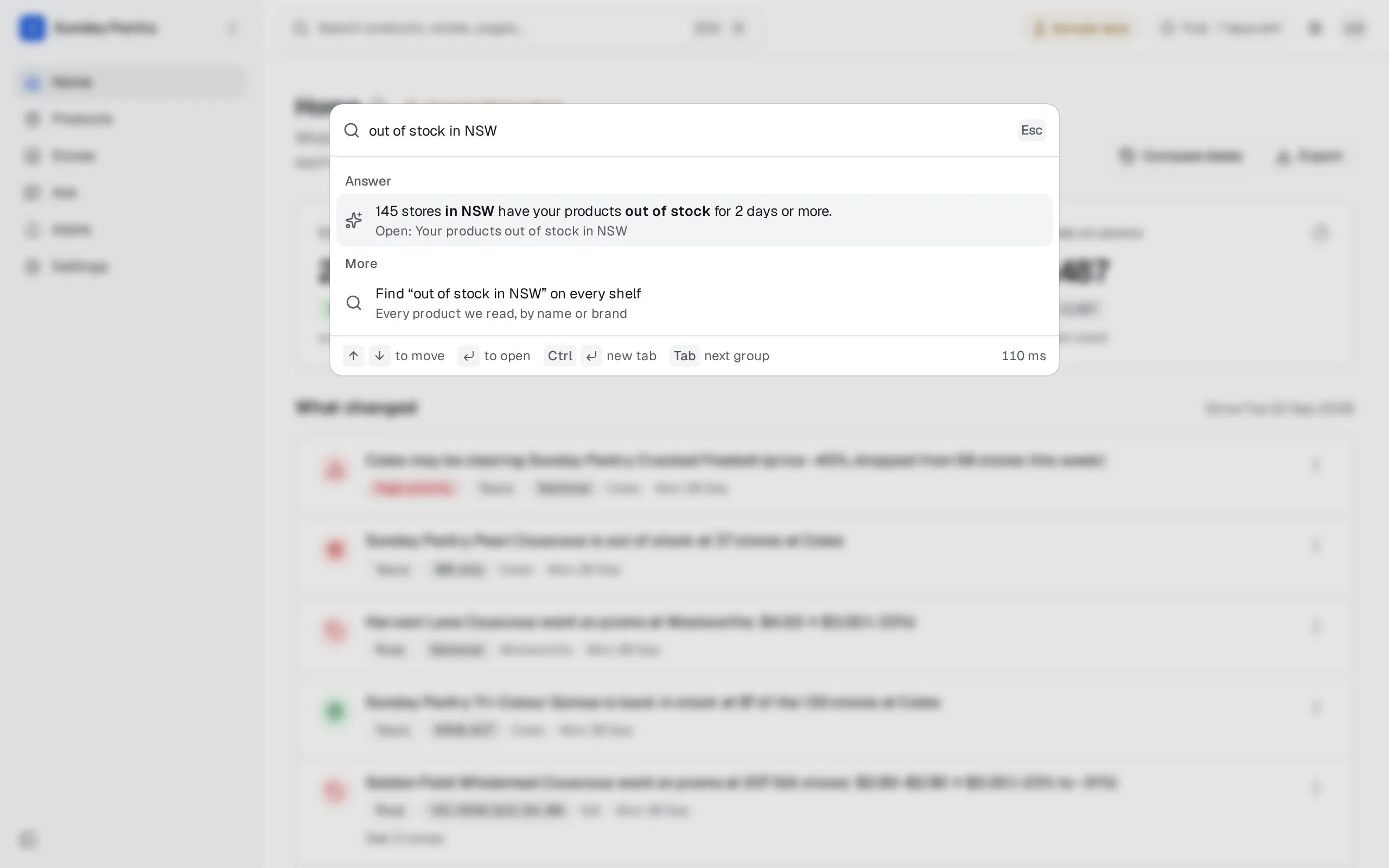
Type a plain question and the Answer group answers it in one sentence, from the same numbers as the page it opens. Enter opens that page, already filtered, so the list behind the answer is the one the sentence counts. Quick answers are worked out on the spot: they don't use Ask and don't count toward its fair use.
A question needs a topic word, such as "out of stock", "promos", "dropped", "price", "changed" or "near". "Coles" on its own is a search for Coles, not a question.
| Try | The answer | It opens |
|---|---|---|
| out of stock in WA | How many stores in WA have your products out of stock for 2 days or more | Stores, out of stock, WA |
| couscous out of stock at Coles | The same, for the one product of yours it names | Stores, that product, out of stock |
| not ranged at Woolworths | How many Woolworths stores don't range your products | Stores, not ranged |
| range gap in VIC | How many stores carry a rival and none of yours | Stores, rival carried, you're not |
| Coles promos this week | How many promos on your products and rivals started, ended or changed at Coles | What changed, promos at Coles |
| rivals dropped this month | How many rival products were dropped, and from how many stores, or "Nothing of theirs was dropped" | What changed, rivals' drops |
| rival prices in QLD | A row for each rival (up to six), with its shelf price | Stores, that rival's prices |
| our price at Coles | A row for each of your products at Coles (up to six), with its shelf price. Name a product for its price range across stores | Stores, that product's prices |
| rivals out of stock | A row for each rival (up to six) | Stores, that rival out of stock |
| what changed since Monday | How many changes on your shelf | What changed, Monday to the latest day |
| stores near 2000 | The stores in that postcode | Stores, postcode 2000 |
| IGA stores in SA | How many IGA stores in SA | Stores, IGA, SA |
Some details:
- Dates count back from the latest day in the app, not from today's date. You can say "this week", "last week", "since Monday", "since 1 October", "last 14 days", "this month" or "yesterday". Promos, drops and changes with no date cover the last 7 days. Nothing goes back further than your plan's history.
- Whose products. Out of stock, not ranged and dropped are about your products. For out of stock and dropped, say "rivals" or "competitors" for theirs, and for dropped, "everyone" for both. Promos are yours and your rivals', or say "rivals" for theirs alone.
- Chains by name, or as people say them, such as "woolies".
- Places. A state by name or abbreviation works ("in WA", "Queensland", "qld"). A short one such as WA, SA, NT or ACT needs "in" before it. New Zealand regions, such as Auckland, work once New Zealand chains are in the app, from 10 October 2026.
- A chain in another country. Ask about a chain in a region of the other country, such as Coles in Auckland, and the answer says "Coles isn't in New Zealand" and opens Coles' own list instead. This works once both countries' chains are in the app.
- One of your products. Name it ("couscous") and the answer is about that product. If the word fits two of your products, the answer covers them all.
- Typos. A typo in a topic word, such as "out of stcok" or "promso", is read as the word you meant.
- Prices show in the chain's currency: NZ$ at a New Zealand chain, $ for Australia.
- No rivals yet? A rivals question says "You don't watch any rivals yet" and opens Products, to add one.
Questions for Ask#
When what you type isn't a quick question, or you want a chart, the Ask row sends it to Ask. It comes first when what you typed reads as a question, there's no quick answer, and nothing else matches well. Choose it, and the answer appears in the panel, with its chart or table. Back to results returns to the list, and Open in Ask carries on in the Ask page. See Ask.
When AI answers are paused for the day, or your brand has used this month's fair use, the Ask row says so, for example "AI answers are paused, back at 00:00". Everything else in search keeps working. While your account is Paused, there's no Ask row.
Products you don't watch#
Search finds products on every shelf we read, not just yours. A product you don't watch opens a preview in the panel: its brand, size and chains, how many stores range it, its category and barcode. To keep it:
- Click Watch this to add it as yours, or Add as rival to watch it as a rival.
- It opens on its own page.
Both count toward your plan's product and rival limits. If you're at a limit, the preview says so, with See plans. See Plans and limits.
While your account is Paused#
After a trial ends, search still finds pages and settings, and still switches brand. Product and store search, your alerts and team, quick answers and Ask open again when you choose a plan. The Products group says so, with a link to plans. See When the trial ends.
Was this page helpful?
Updated 9 October 2026